
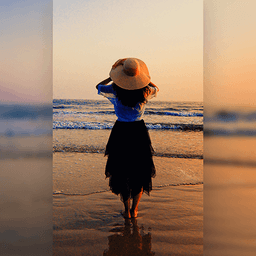
Screenshots
About Square Fit-Blur Photo Editor
Square Fit-Blur Photo Editor is the all-in-one photo editing solution for anyone looking to create Instagram-ready images without compromise. Whether you're crafting the perfect square photo for social media or designing stunning collages, this powerful editor gives you complete creative control with an intuitive interface and professional-grade tools.
Transform your photos with limitless creative options. Access over 100 magic effects including retro VHS, glitch, RGB, sketch, cartoon, and pixel styles that instantly elevate your images. The blur background feature creates professional depth with ease, while 100+ carefully curated backgrounds—from solid colors to artistic and themed designs—let you customize your shot exactly as you envision it. With 50+ high-quality filters built in, you can refine your photo's mood in seconds.
Create eye-catching collages that tell your story. Choose from 100+ layout templates or design freestyle with 1-12 images using intuitive drag-and-drop controls. Adjust sizes and positions with simple gestures, then use the grid and free-style options to compose exactly what you want. No cropping required—the square fit feature ensures your images maintain their integrity for Instagram, Facebook, WhatsApp, and other platforms.
Customize every detail with advanced editing tools. Add text with 20+ stylish art typefaces, adjust size and position with precision, and choose from 500+ funny stickers to express your personality. Fine-tune brightness, contrast, saturation, hue, and warmth to match your vision. Crop, rotate, flip, mirror, and zoom with pinch controls that make editing feel natural. The doodle and blur effect tools give you even more creative freedom.
Frame your masterpiece with style. Browse 100+ fashionable photo frames, each carefully selected to complement any image. From minimalist borders to decorative frames, find the perfect finishing touch in seconds.
Share your creations instantly. Export stunning HD images directly to your gallery, or post to Instagram, Twitter, Facebook, WhatsApp, Snapchat, and Messenger with a single tap. Square Fit-Blur Photo Editor makes professional-quality photo editing accessible to everyone, whether you're a social media enthusiast, content creator, or casual user.
Pros & Cons
Pros
- 100+ effects, filters, and frames provide extensive creative customization options
- Drag-and-drop collage editor with 100+ templates makes multi-image layouts intuitive
- Square fit feature automatically formats photos for Instagram and other platforms
- Direct sharing to Instagram, Facebook, WhatsApp, and other social apps
Cons
- Likely includes ads or premium upsells given free-to-use model
- Large asset library (effects, backgrounds, stickers, frames) may consume significant device storage
- Feature-rich interface with many tools could require time to learn effectively
- Export and sharing to social platforms depend on stable internet connection
Related Apps

GIMP
Open-source photo editor and digital art studio with professional tools for retouching and illustration.

Paint.NET
Free photo editing software with layers, effects, and unlimited undo for Windows.

Photoscape
Photo editor with viewer, collage maker, GIF creator, and batch tools—all in one free app.

3D Emoji Face Camera
KEVIN STUDIO
3D emoji face camera with live filters and animated effects. Create fun selfies instantly.

Profile Picture Downloader HD
helalik
Download Instagram profile pictures in HD — no login required, view and save instantly.
Beauty Camera Plus
Photo Created
Photo editor with beauty filters for selfies, portraits, and real-time enhancement — free download.
Latest Articles
7 best Adobe Acrobat Studio alternatives for desktop in 2026 (we tested all of them)
Jul 9, 2026

Best apps for AI task scheduling on desktop in 2026
Jul 9, 2026

Best apps for using Android as a second monitor in 2026 (we tested 8)
Jul 9, 2026
Best apps for chatting with PDFs on desktop in 2026 (we tested 8)
Jul 9, 2026

Best apps for desktop customization in 2026 (Windows, macOS, Linux)
Jul 9, 2026